



Private conversation intelligence.
Capture meetings and calls, dictate voice notes, get live context, and turn every conversation into searchable local memory.
Windows · Windows on Arm · Mac with Apple silicon
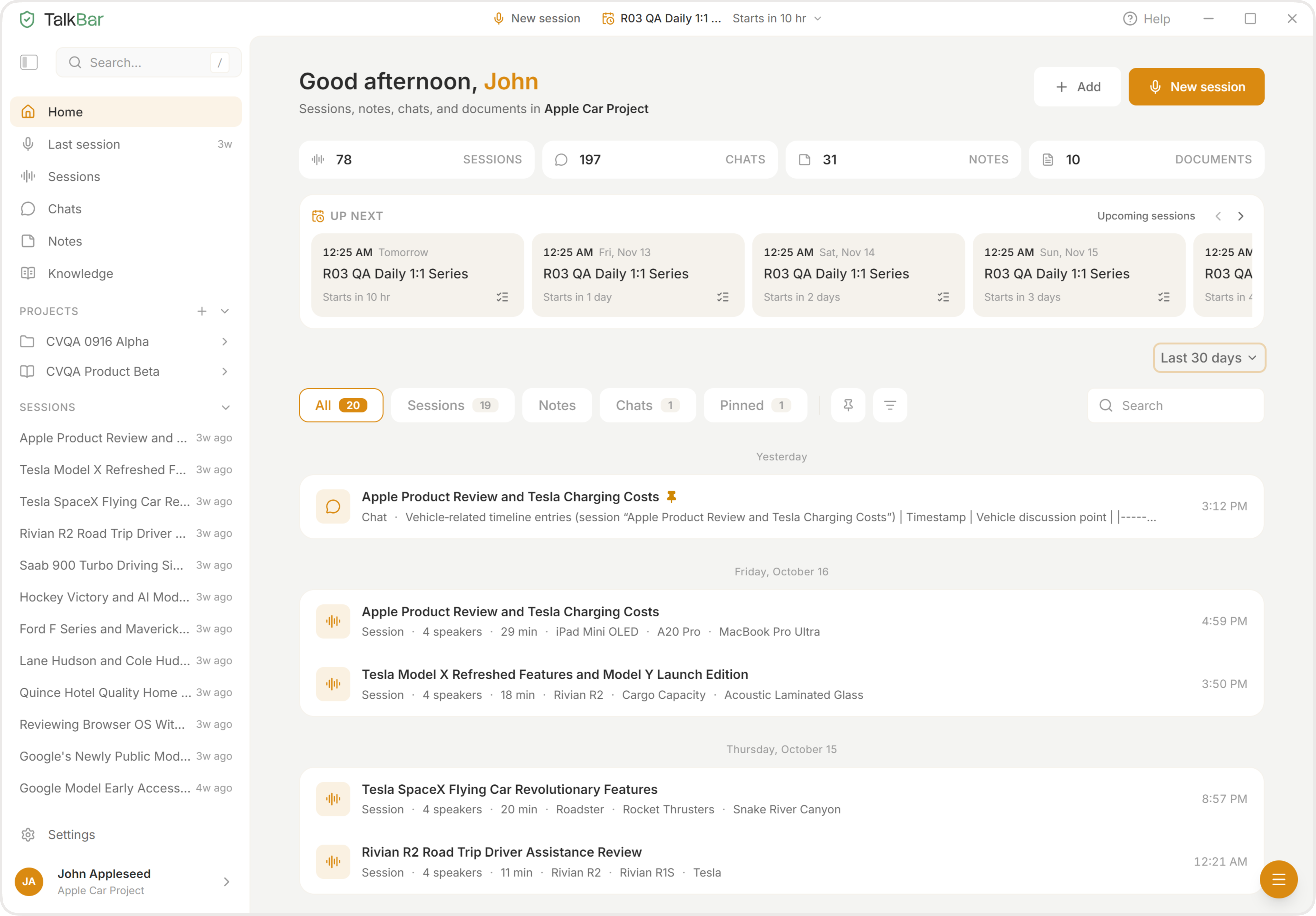
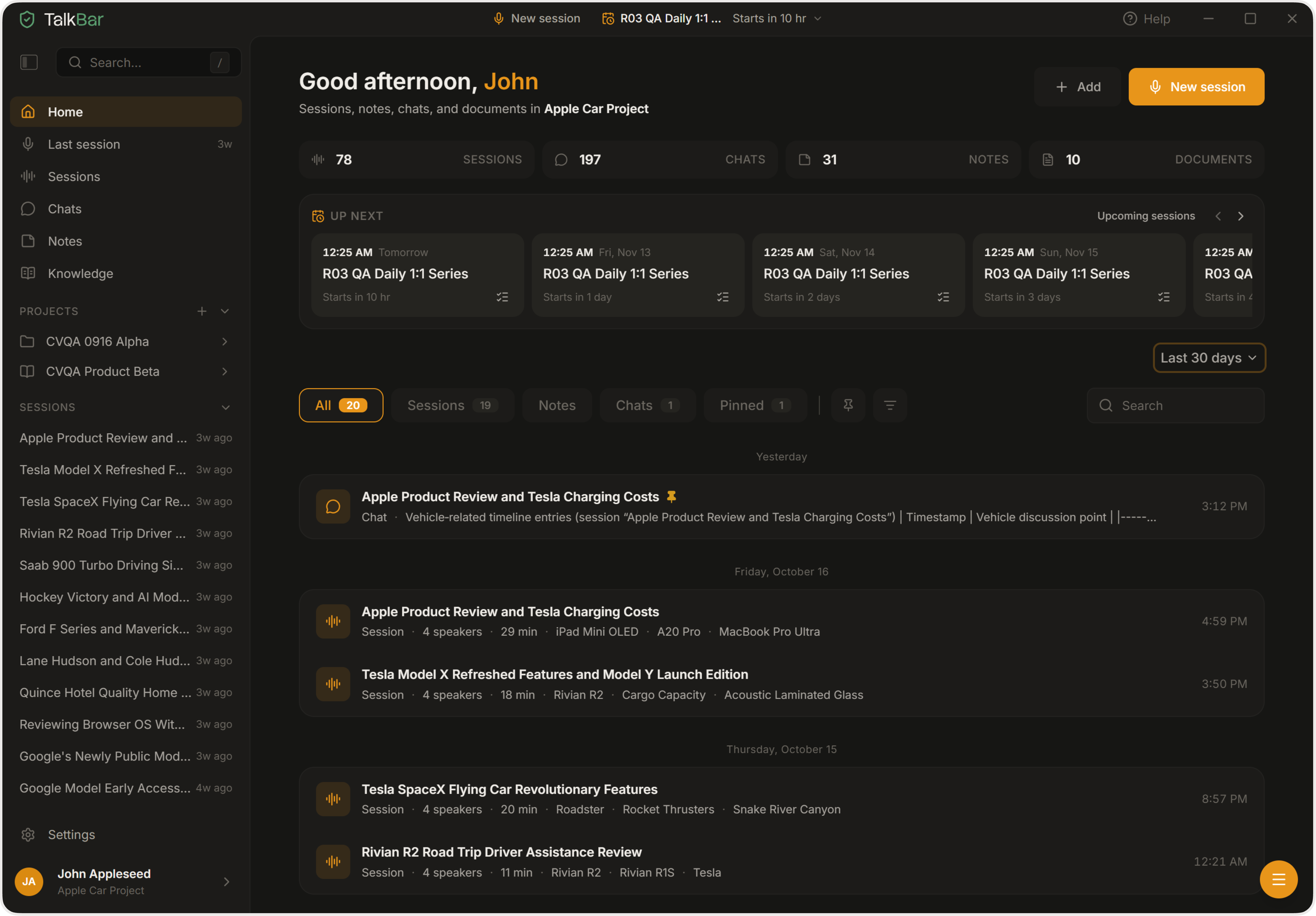
Before, during, and after every important conversation.
Prepare before you talk, keep your context in view while you do, and carry what you learned into the next conversation.
Walk in prepared
Start where the last call left off.
- Prep notes and questions
- Documents you attach
- Knowledge Cards and open action items
- Scheduled sessions with reminders and auto-start
- Meetings from your synced calendar
Context while you talk
Record from your desktop while your Knowledge Cards and past action items appear on cue.
- Live transcript and running summary
- Knowledge Cards and action items, on cue
- Ask TalkBar, with sources
Follow-up and memory
Leave with the summary, action items, and notes from the call.
- Summary, decisions, and open questions
- Action items for next time
- Searchable history and exports
Bring the last conversation into the next one.
Open the preparation page before the call. Jot down the agenda, attach the documents you need, and bring in last time’s action items and the Knowledge Cards you want within reach.
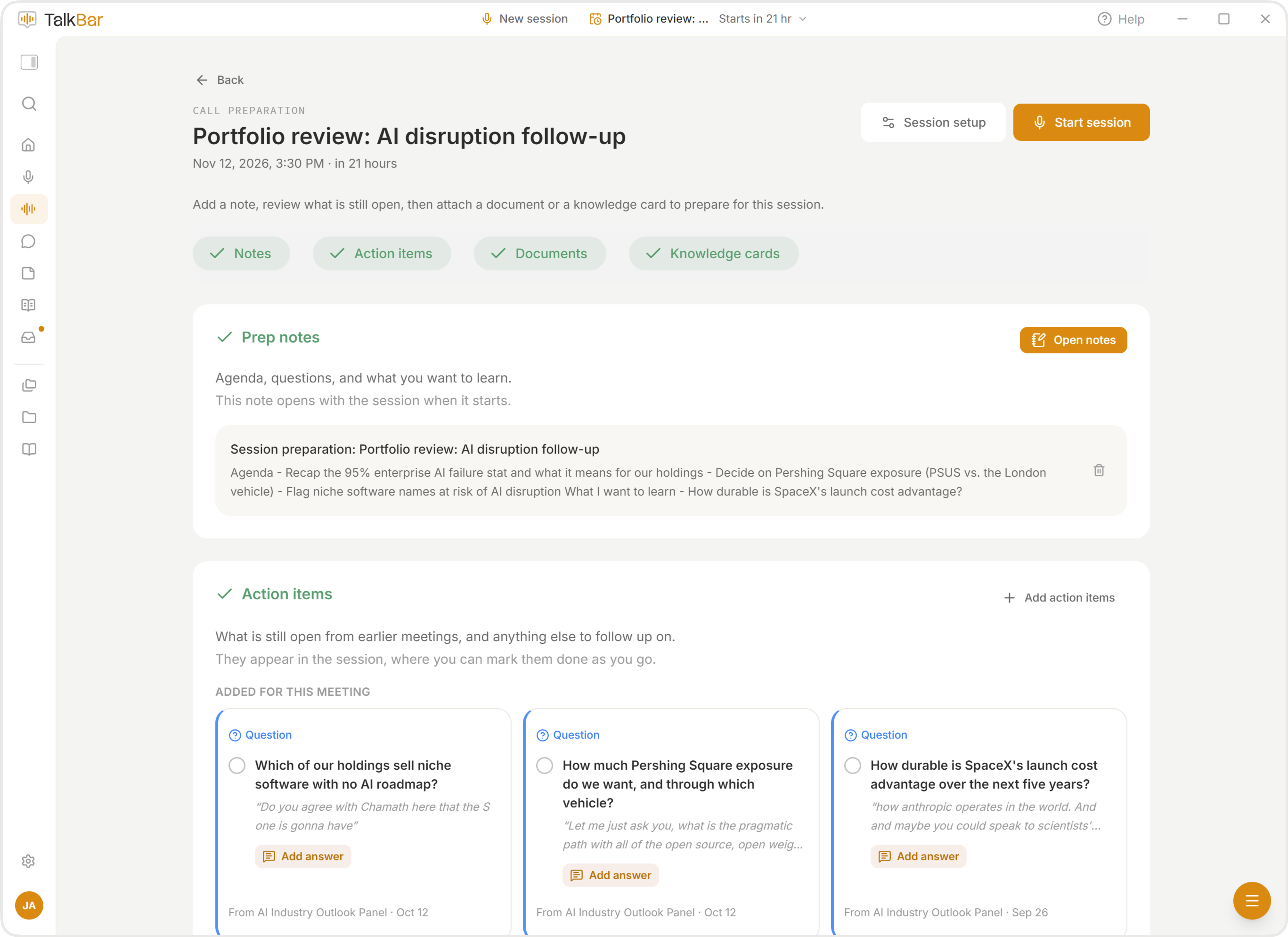
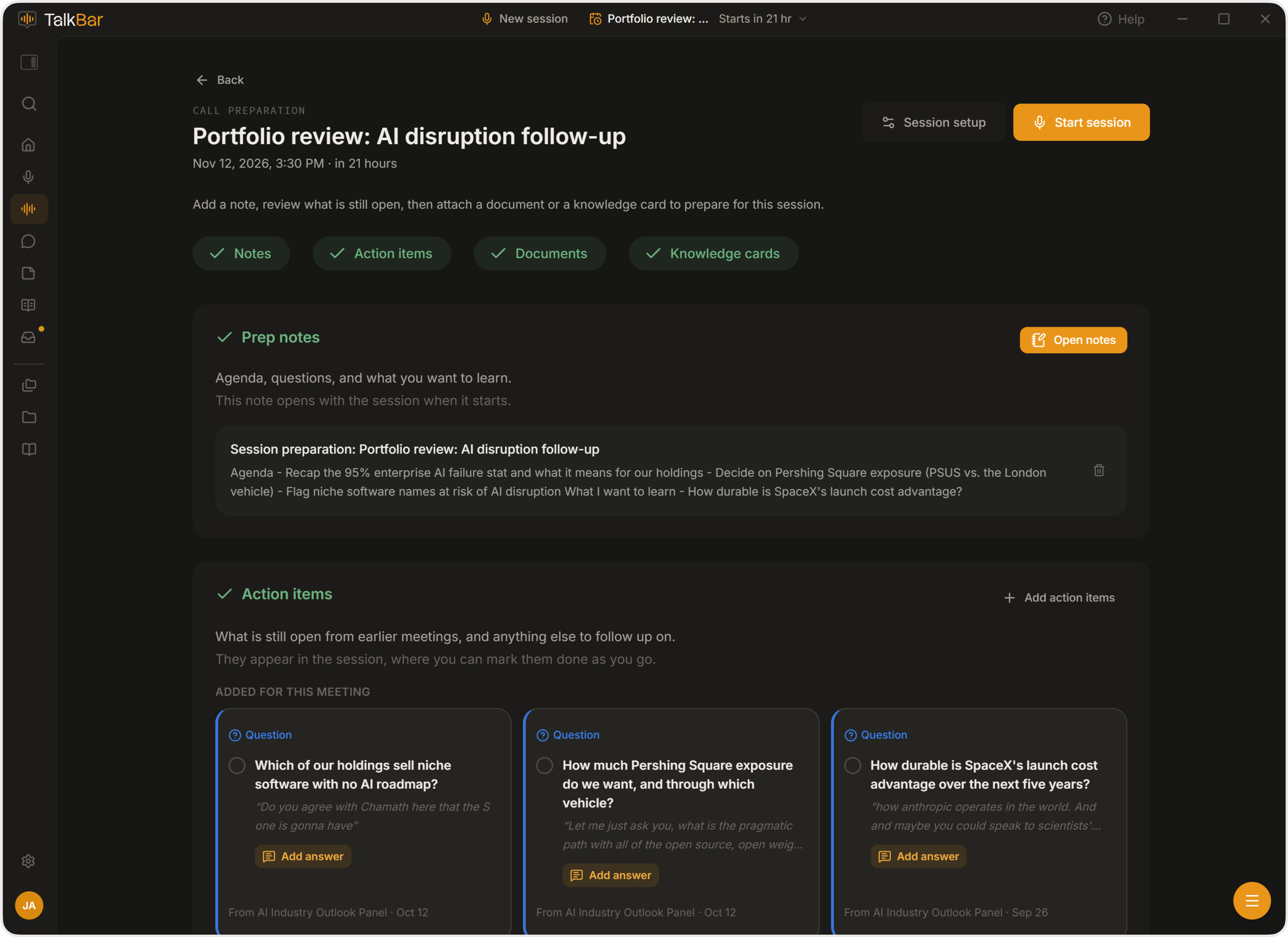
Notes, documents, open action items, and Knowledge Cards, ready before you start.
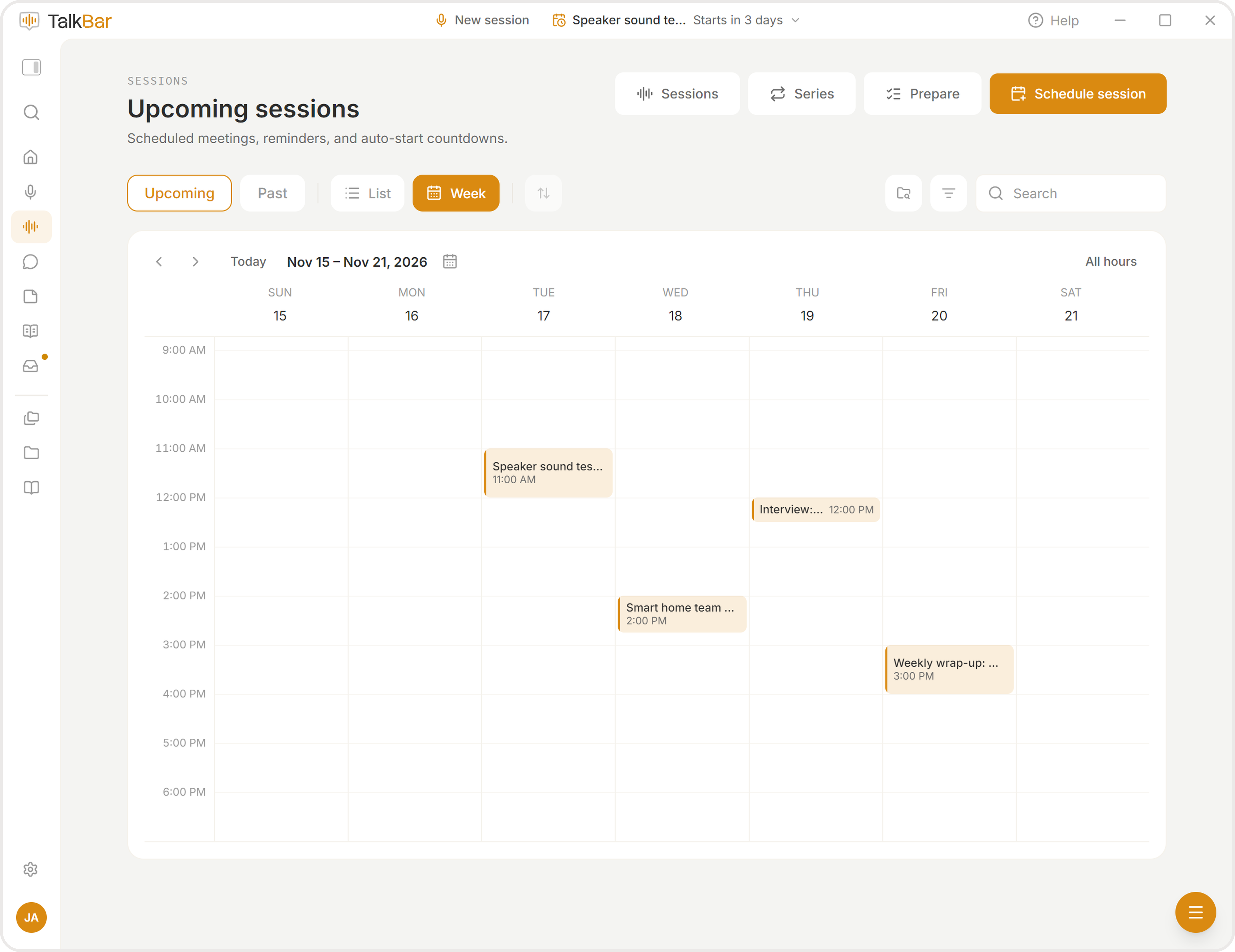
Your upcoming conversations, planned and on time.
Schedule sessions in TalkBar or bring in meetings from your calendar. Each one gets its prep, a reminder before it starts, and, if you want, a recording that starts on its own. TalkBar only reads your calendar and never changes it.
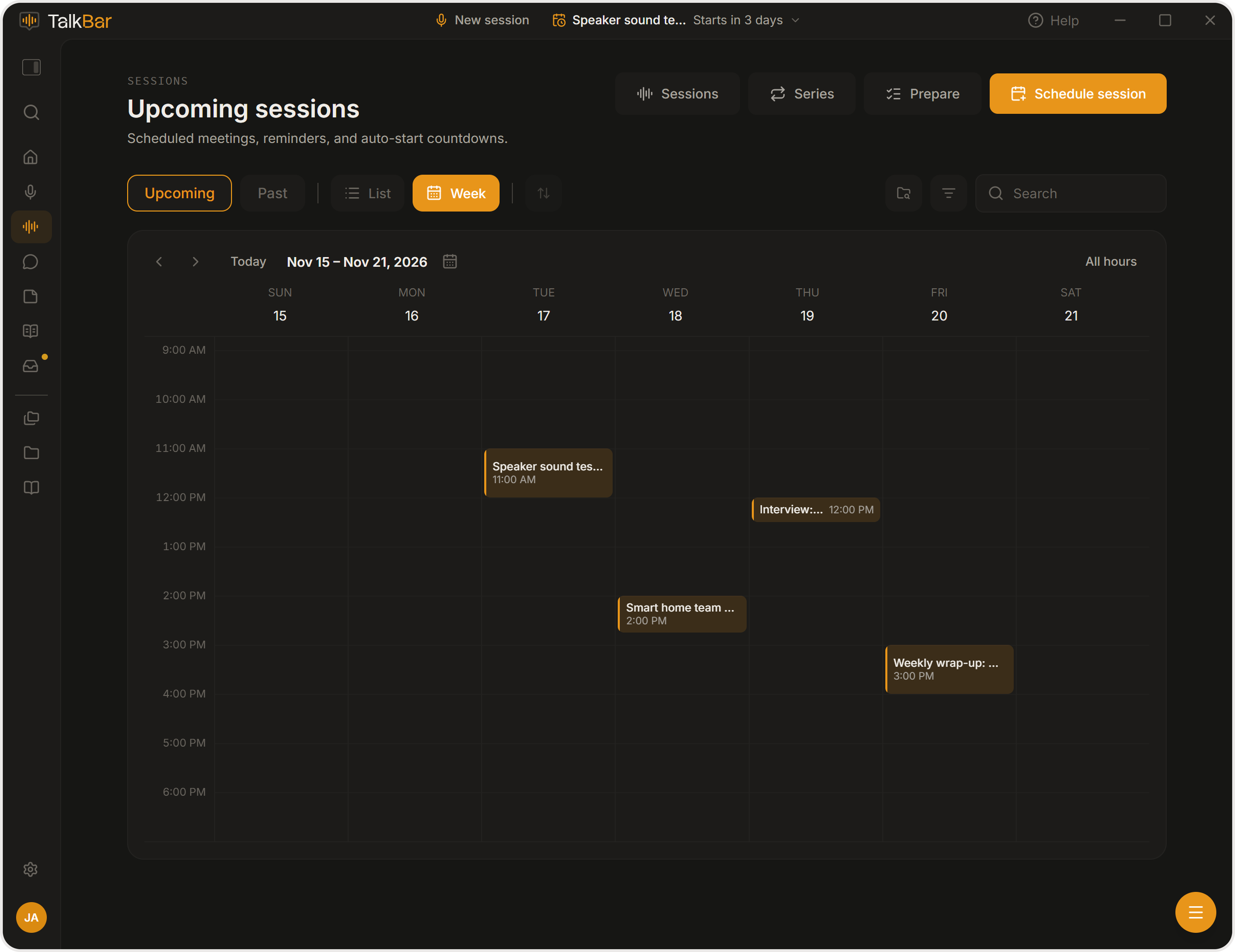
Upcoming sessions and calendar meetings in one place, as a list or a week.
The right context, just as it comes up.
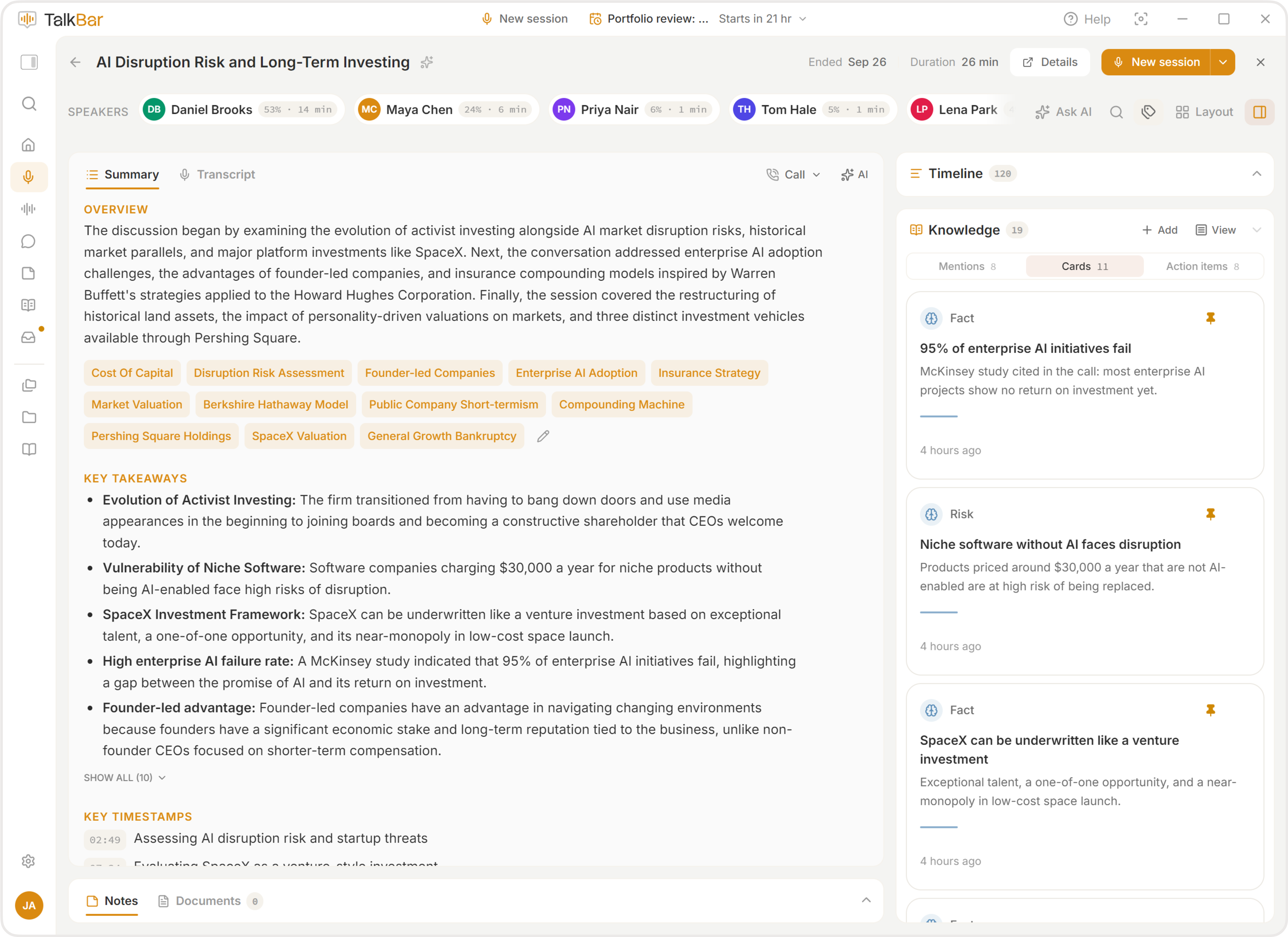
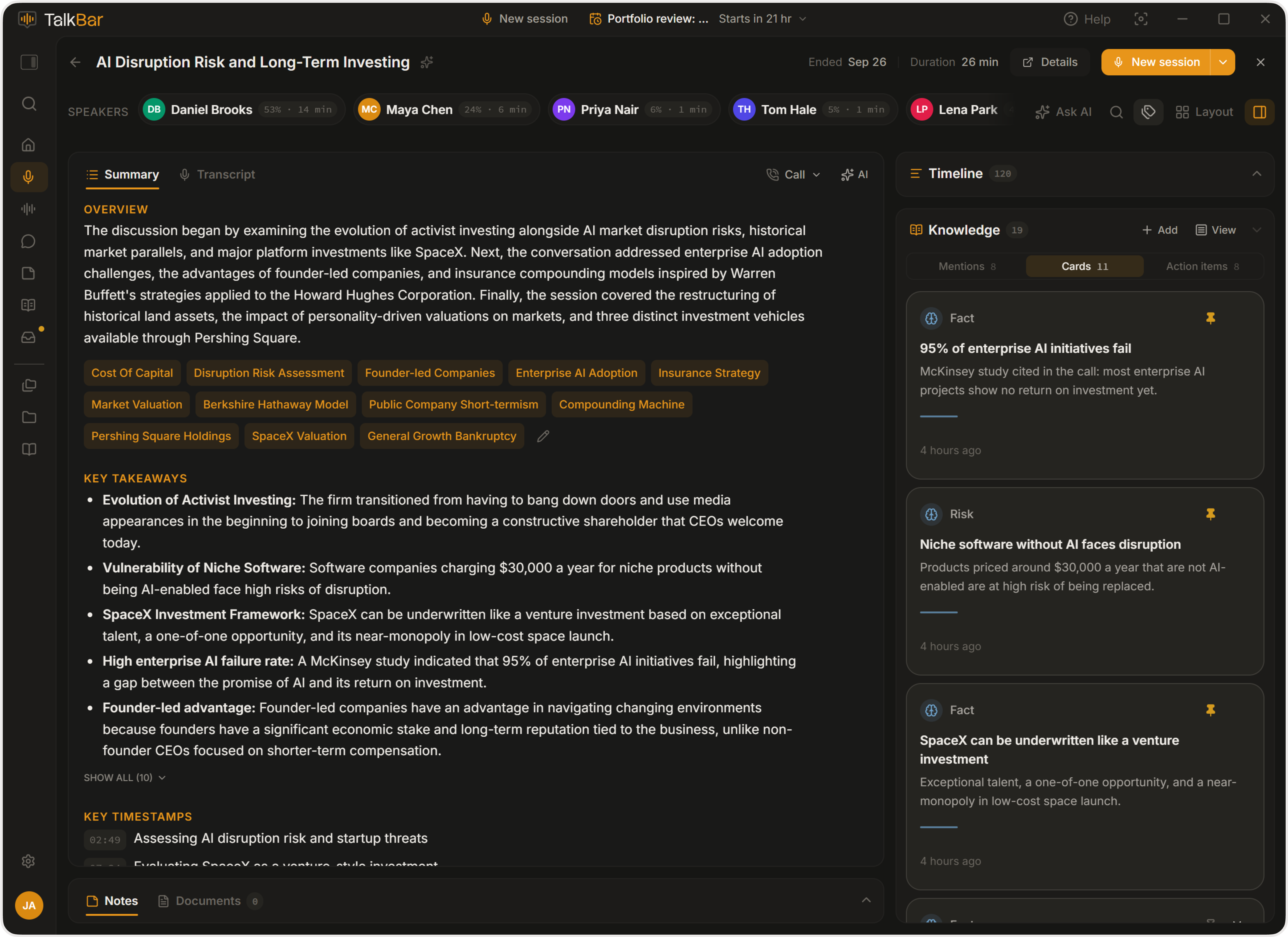
Bring the Knowledge Cards and action items you care about, and they light up when the conversation reaches their topic. Need something else? Ask TalkBar, and see where the answer came from.
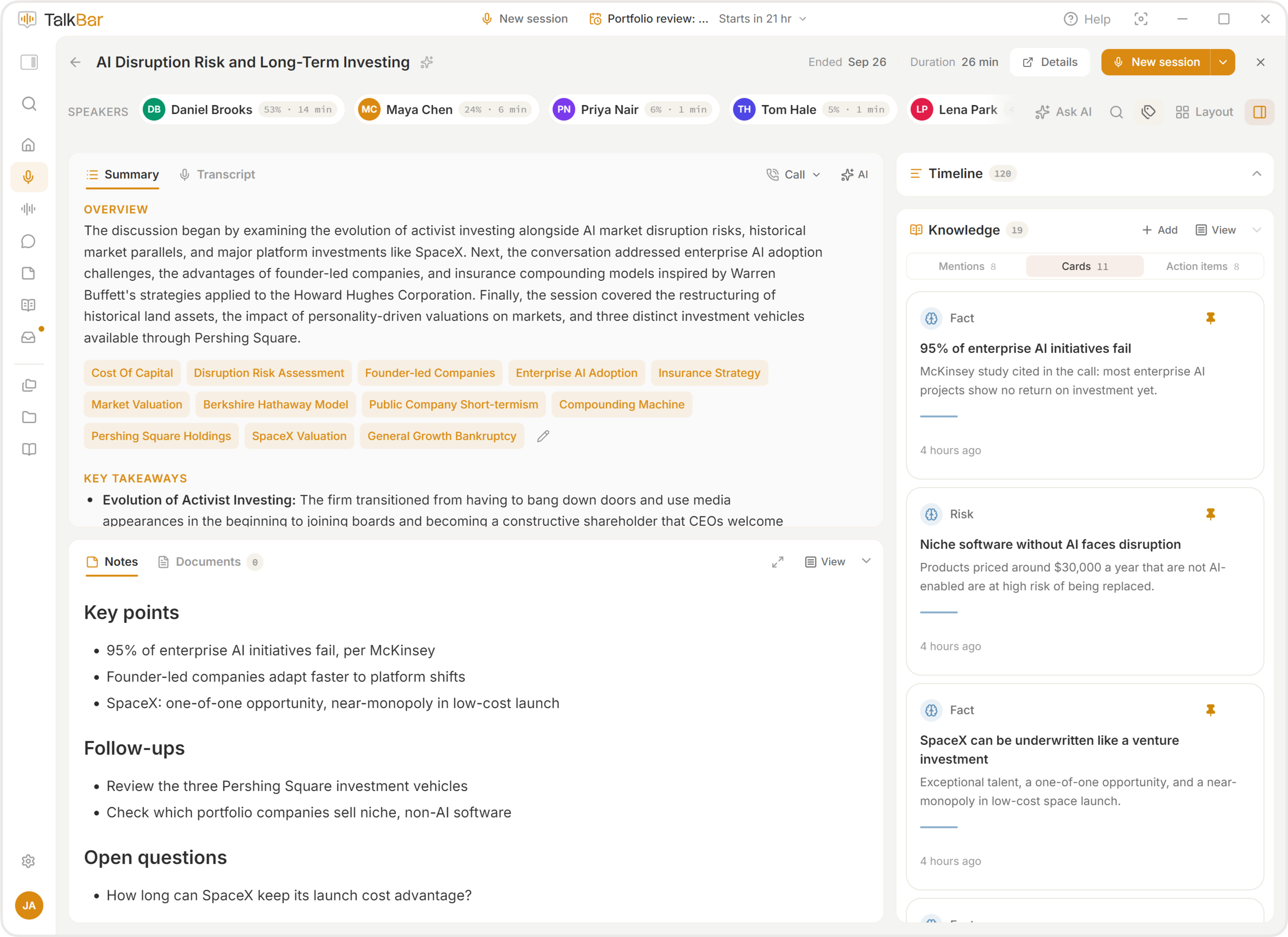
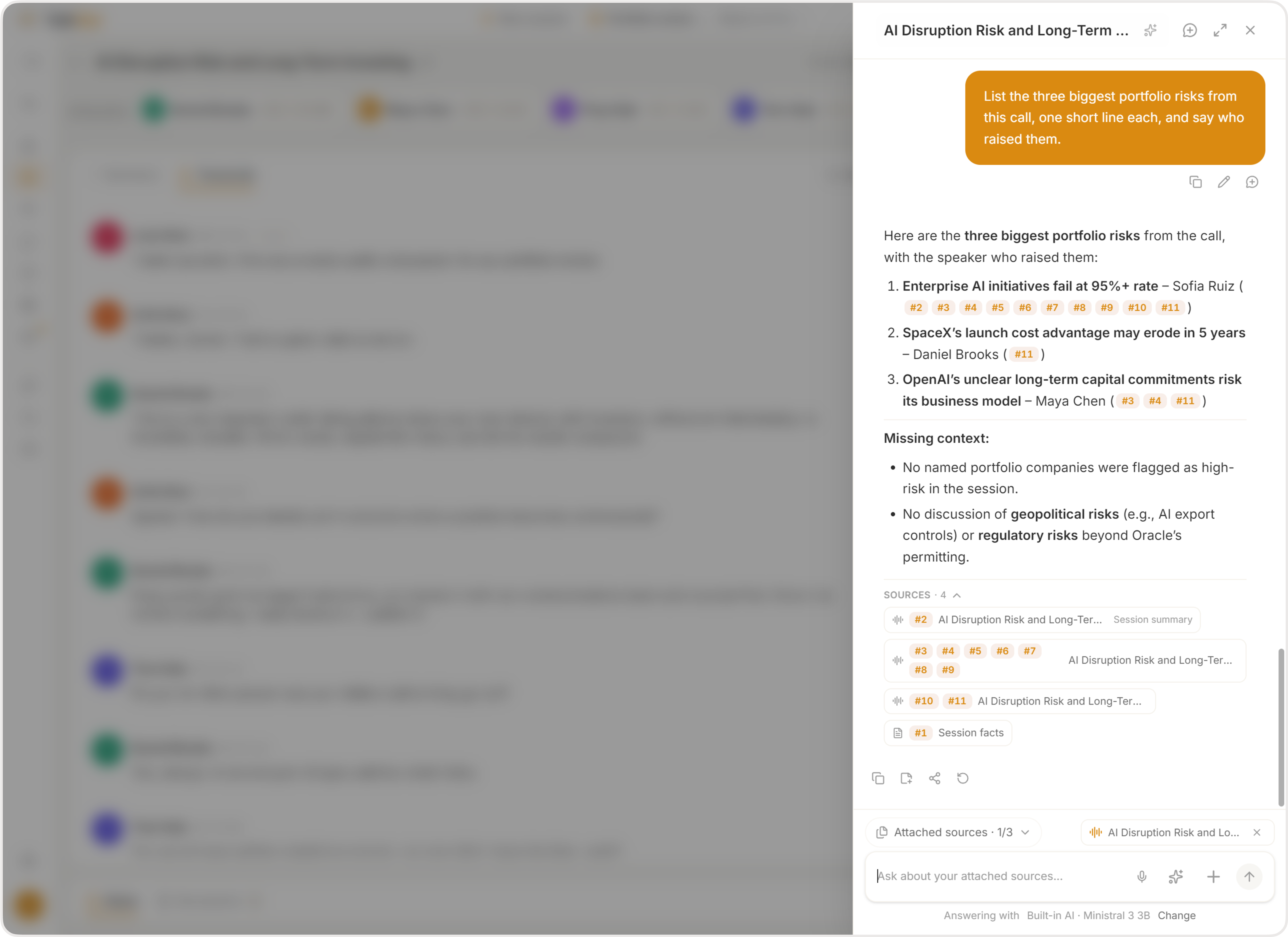
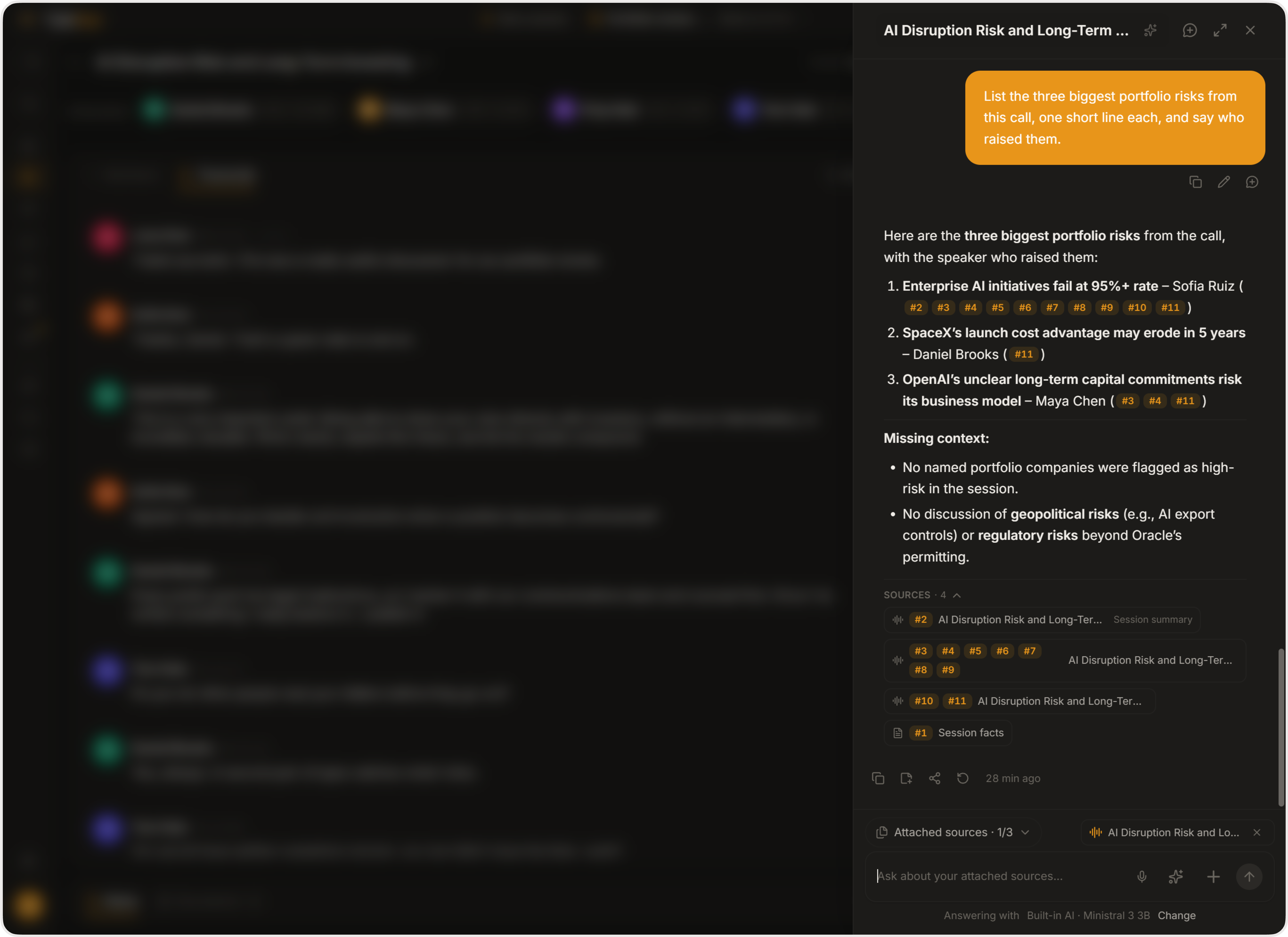
Leave with the session ready to review.
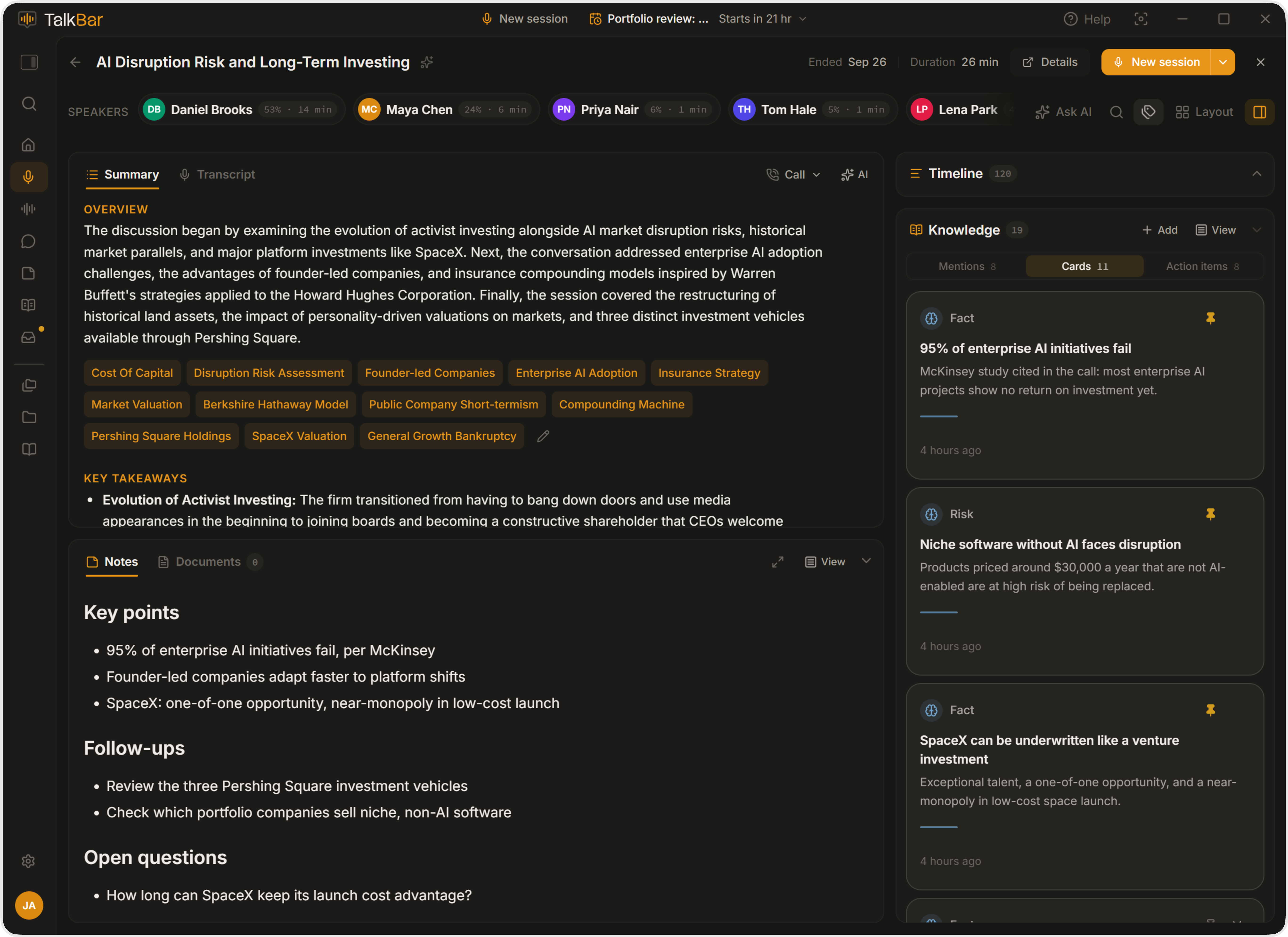
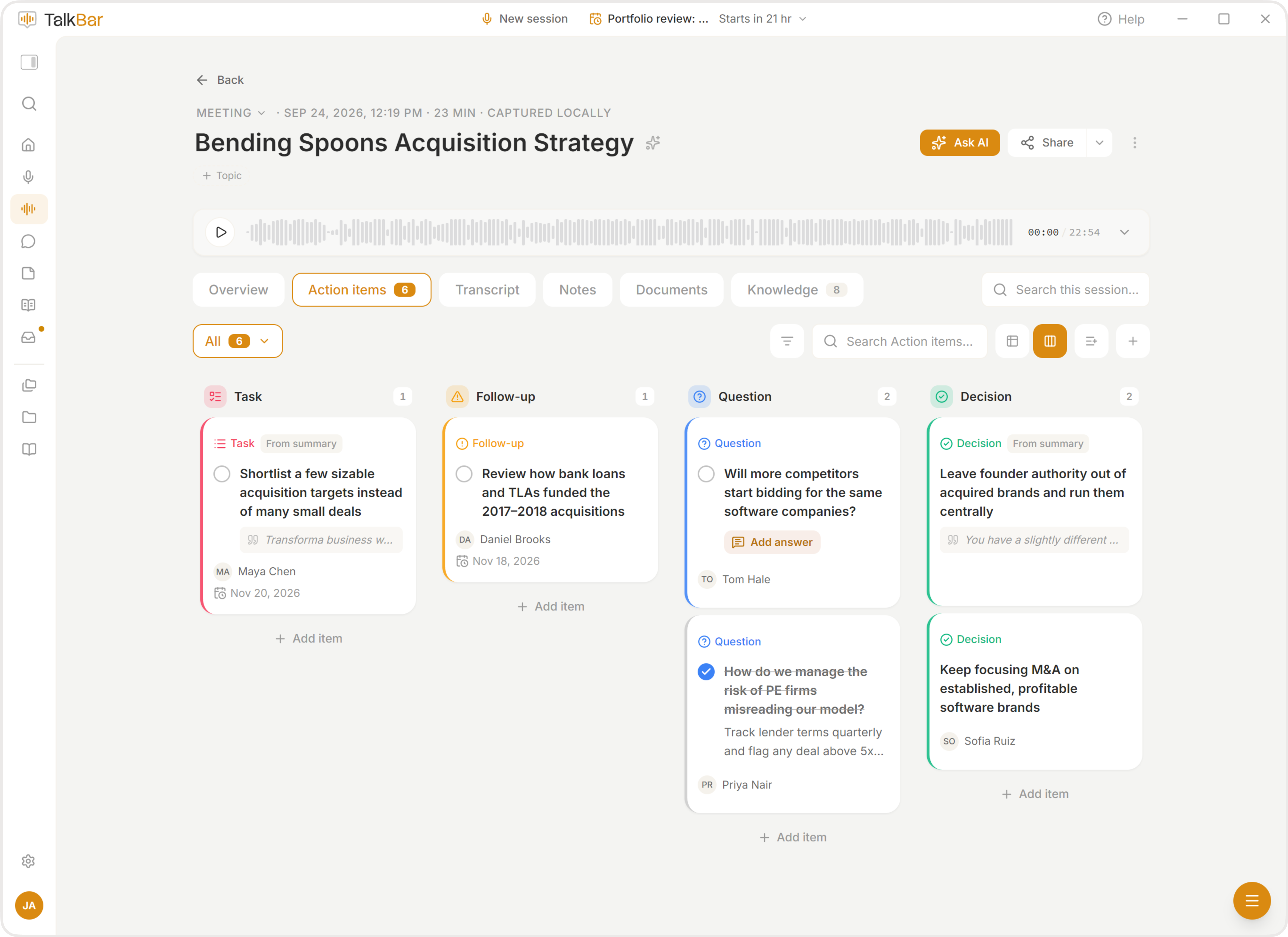
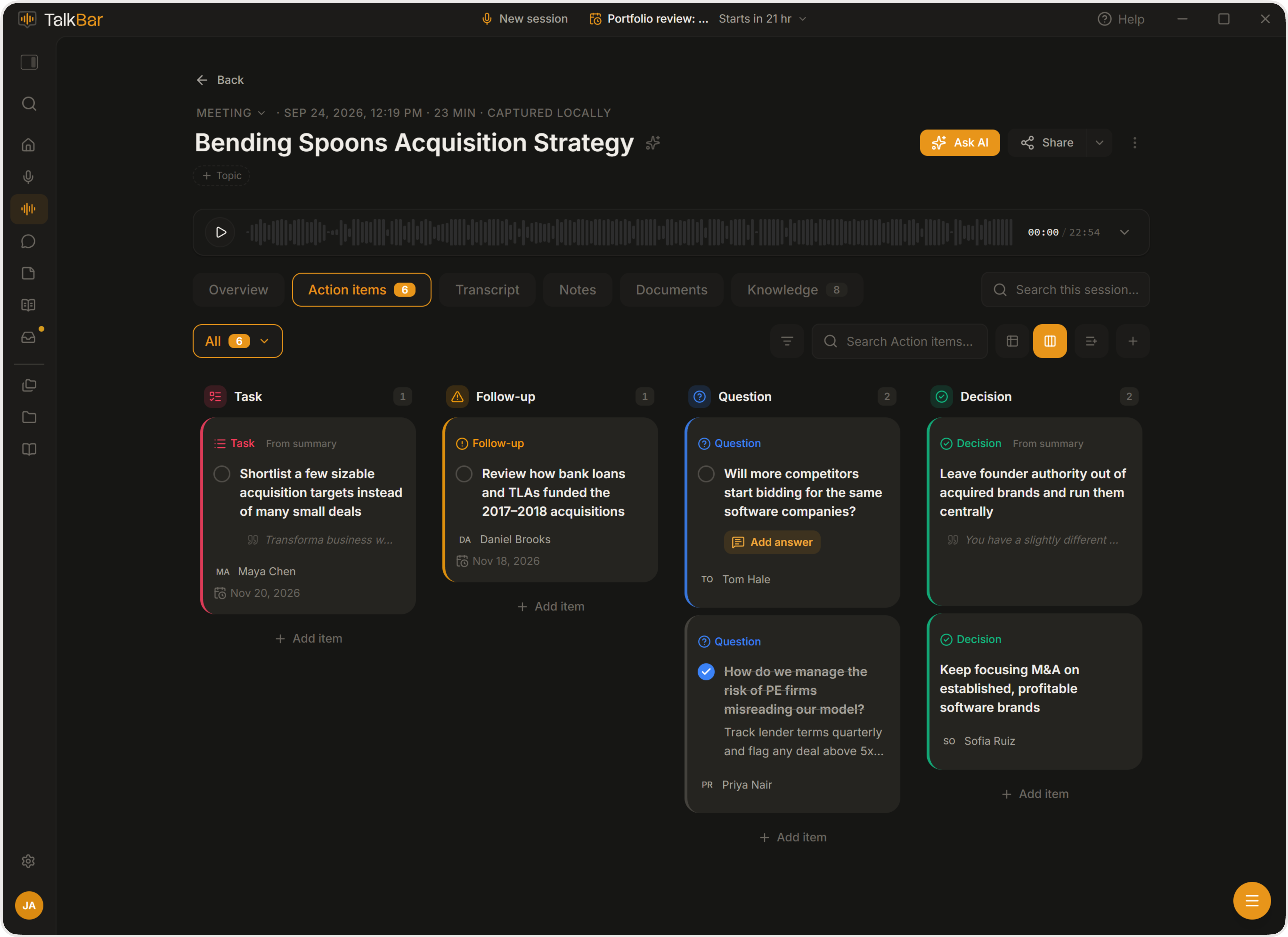
When the call ends, the summary, action items, and notes are ready for follow-up in the session details. Review and analyze them, then export or share a web link when you need to.
Decisions you can trace
Jump to the transcript moment behind a decision or action item.
Owners, due dates, next call
Give each action item an owner and a due date, then add it to your next call.
Export or share
Export the session, or share a web link, when you need to.
Knowledge worth keeping
Scan the transcript and keep the facts you want as Knowledge Cards.
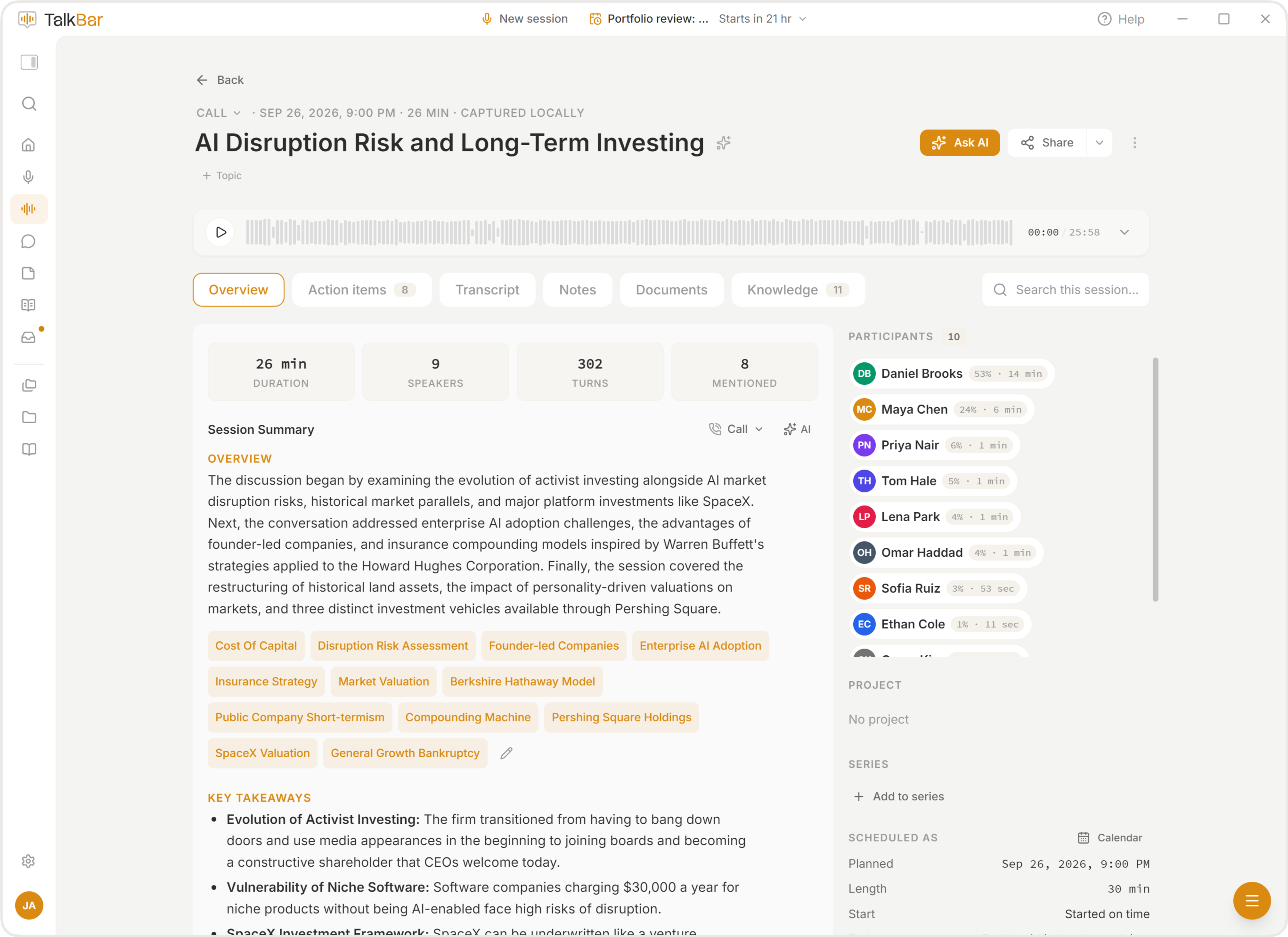
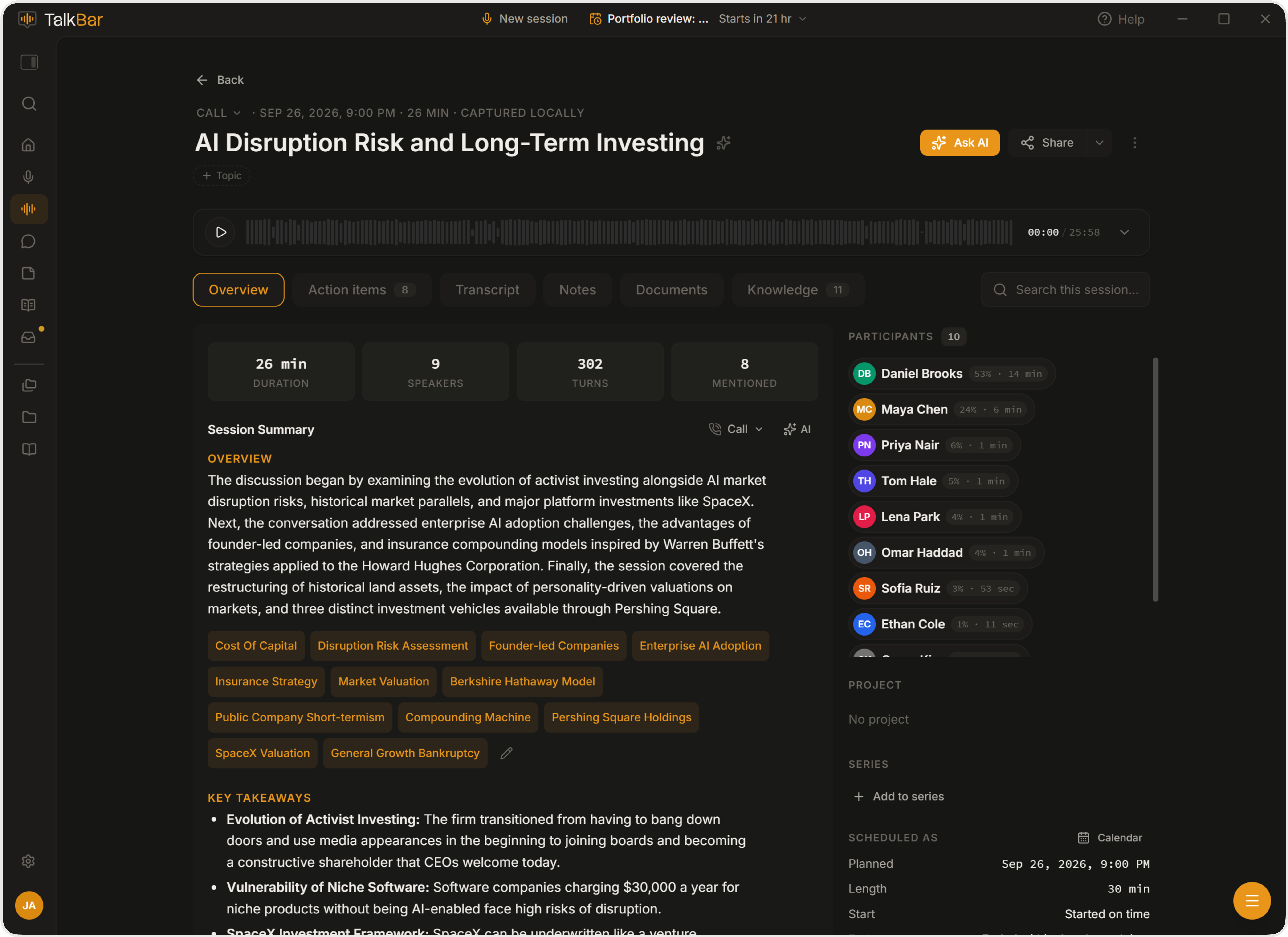
Knowledge that keeps working after the call.
Facts, files, and people from your conversations, all in one place. Scan past meetings or any document, review what TalkBar suggests, and keep what matters, for one project or for everything you do.
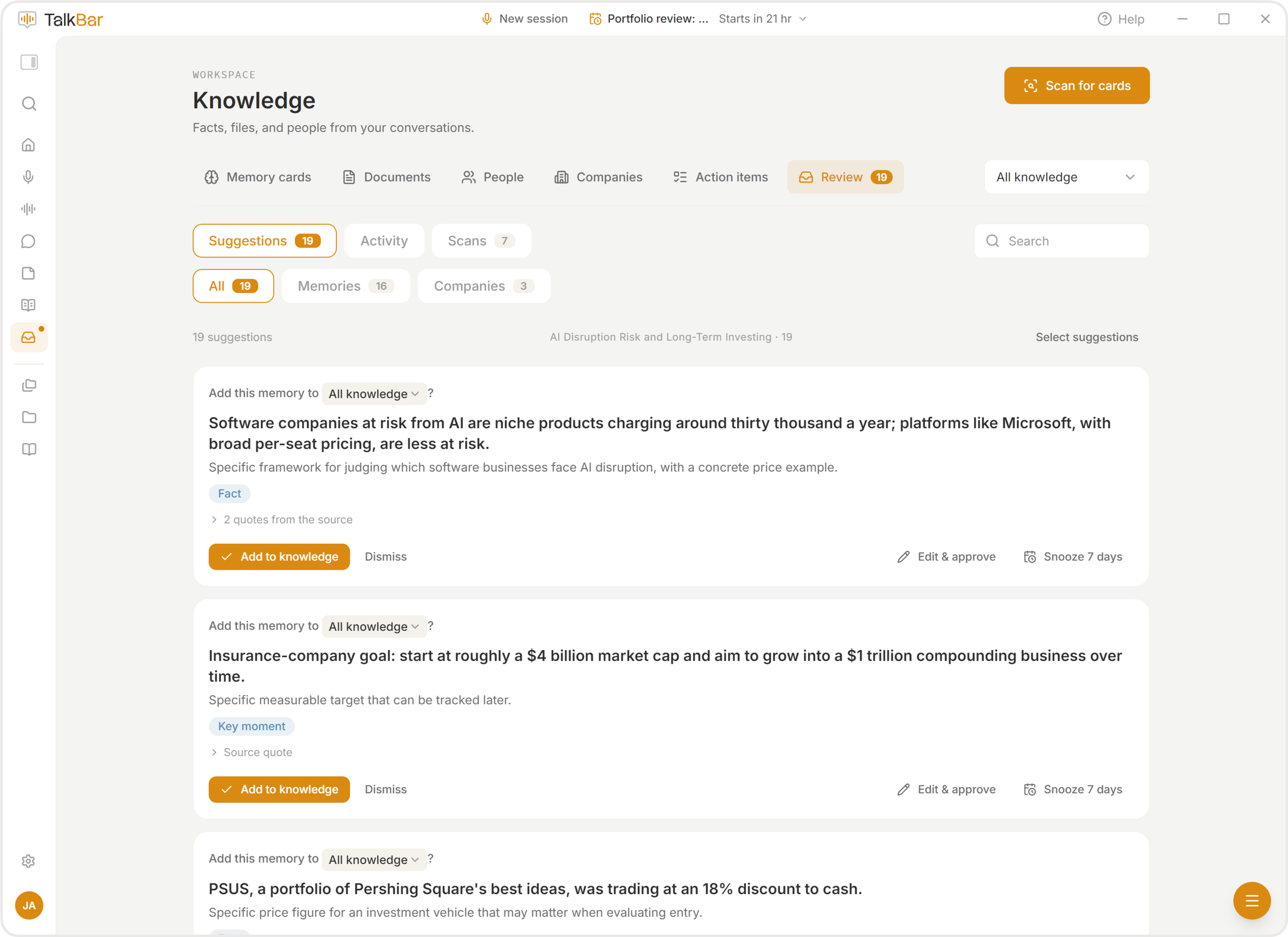
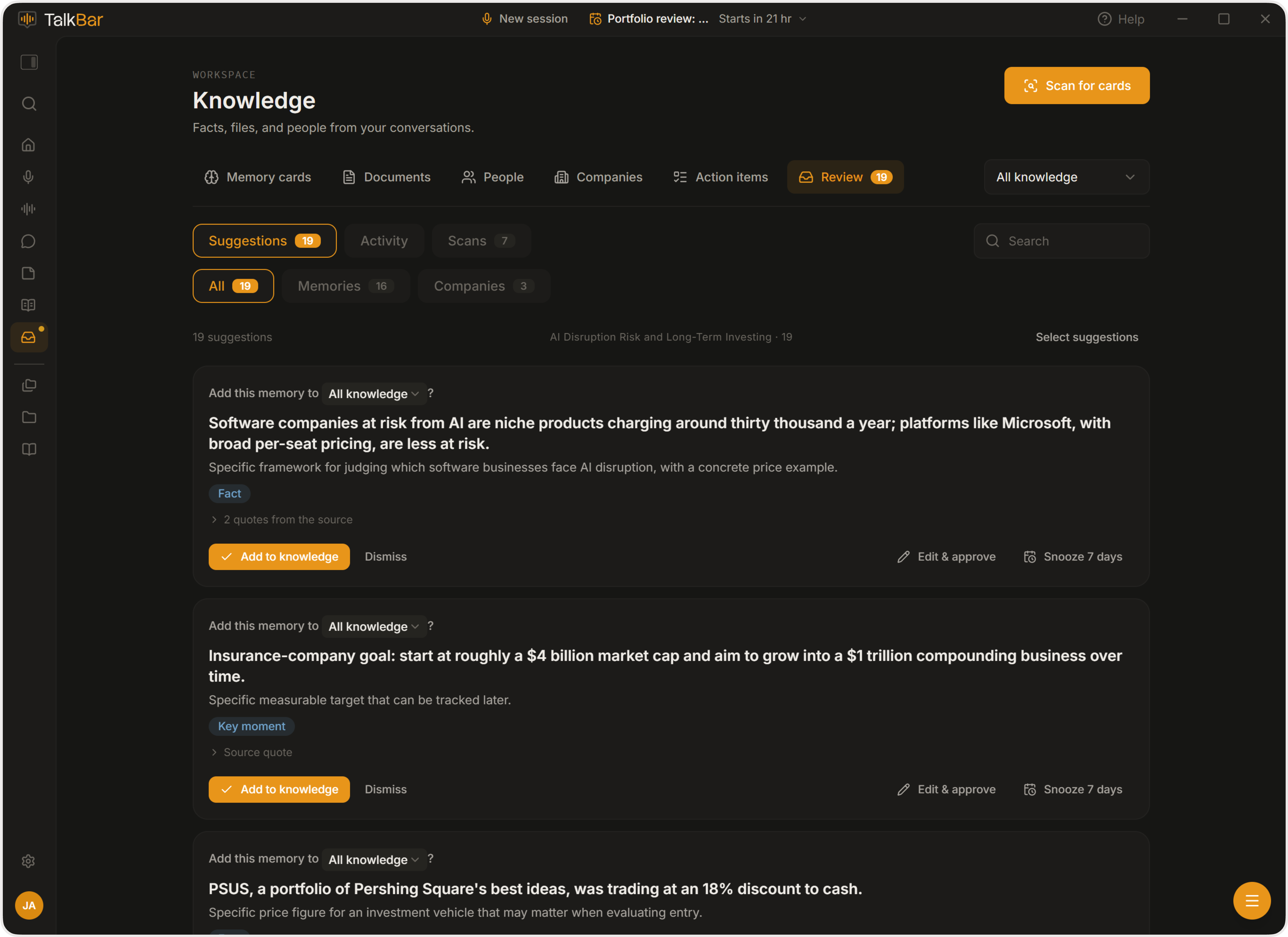
Scan
Pick past meetings or any document, and choose what to look for.
Review
Keep, edit, or dismiss each suggestion. Only what you keep is saved.
Add
Save it to one project, or to global knowledge for all of them.
Knowledge Cards
Facts worth keeping, like a renewal date or an agreed price.
Documents
PDFs, Word files, Markdown, and notes to read, search, and scan.
People
Everyone you talk with, linked to their calls and notes.
Companies
Each company, with its people and past calls.
Ask your meetings, not your memory.
Chat with any session or document, or ask across everything you’ve kept. Answers show where they came from, so you can check before you rely on them.
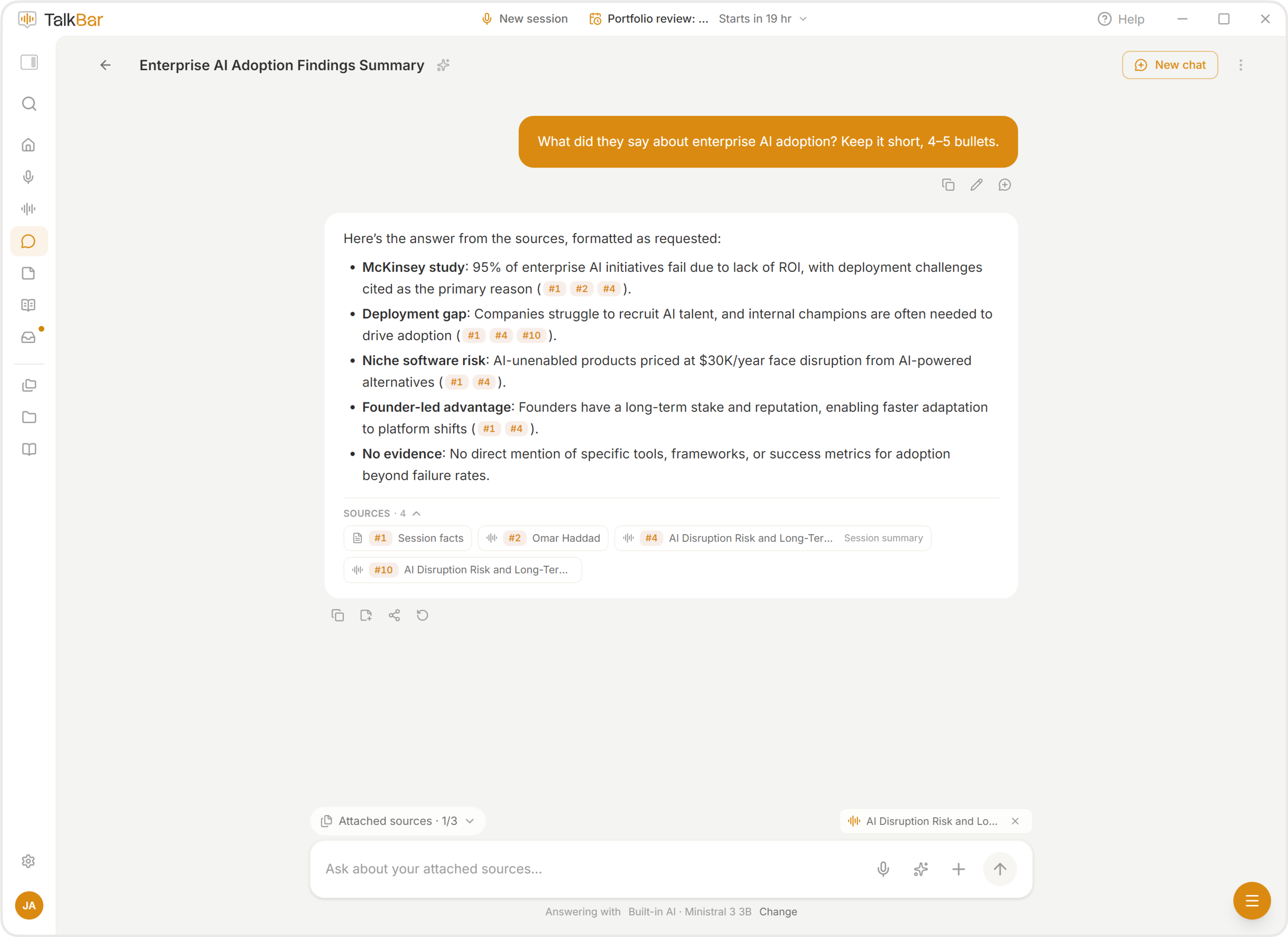
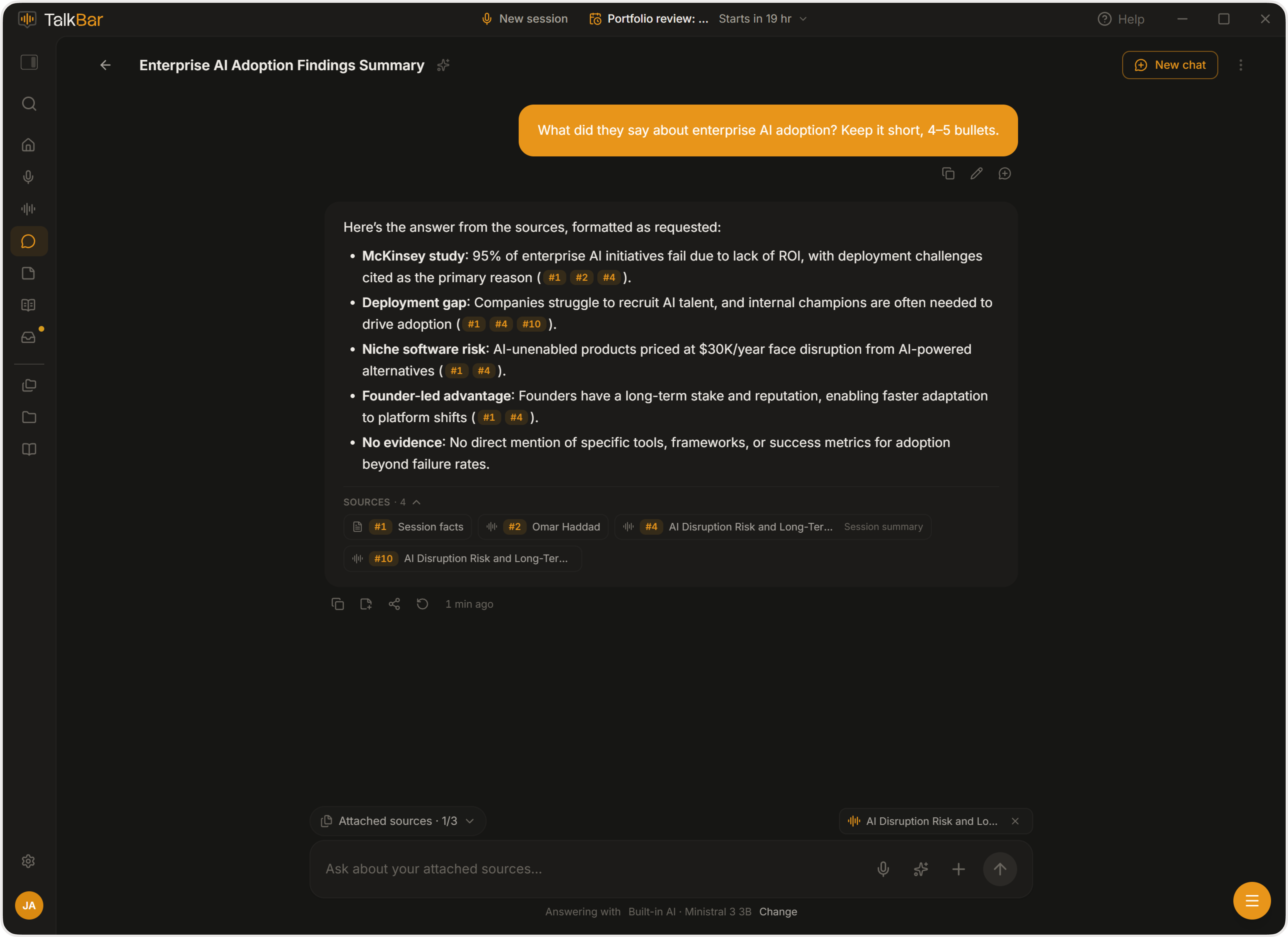
Runs on local AI, or on a provider you choose with your own key.
Chat with a session
What did Sarah say about the SLA draft?
Chat with a document
What’s the renewal notice period in the NDA?
Ask knowledge
What do we know about Acme’s approval process?
Everything you need to turn talk into an asset.
From the first note to the final follow-up, TalkBar covers the whole conversation on your computer. Keep AI local and private, or bring your own key when you want a stronger model.
Bot-free capture
Record meetings and calls from your desktop: your mic and your computer’s audio. No bot joins.
Local AI or your own key
Transcription stays on your computer. Run AI there too, with a built-in model or Ollama, or connect a provider with your own key.
Preparation page
Notes, documents, Knowledge Cards, and action items for one call or a recurring series.
Your documents
Import PDFs, Word files, and Markdown to read, search, and scan for Knowledge Cards.
Notes
Write from a template and link notes to sessions, projects, or labels.
Searchable memory
Search every transcript, note, and document, kept on your computer.
Summaries and action items
Decisions, open questions, and action items you can bring to the next call.
Custom vocabulary
Names, acronyms, and client terms, spelled your way in summaries.
Ask TalkBar
Ask one session, one document, or all your knowledge, with sources.
Templates & Skills
Shape summaries and notes, and add outputs like a client-ready recap.
Retention controls
Choose what’s recorded, whether audio is kept, and what’s deleted.
Exports your way
Markdown, text, HTML, JSON, subtitles, or ZIP, or straight to Obsidian or Notion.
Private on the inside. Beautiful on the outside.
All that privacy comes in a calm, modern workspace that’s quick to learn and a pleasure to use every day. Click any screen to see it up close.
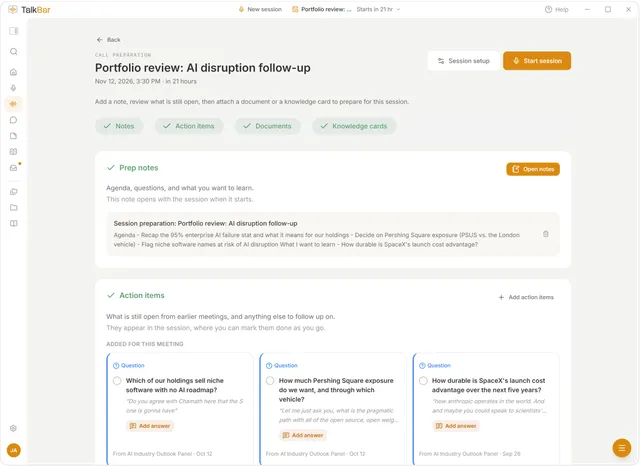
Prepare a call
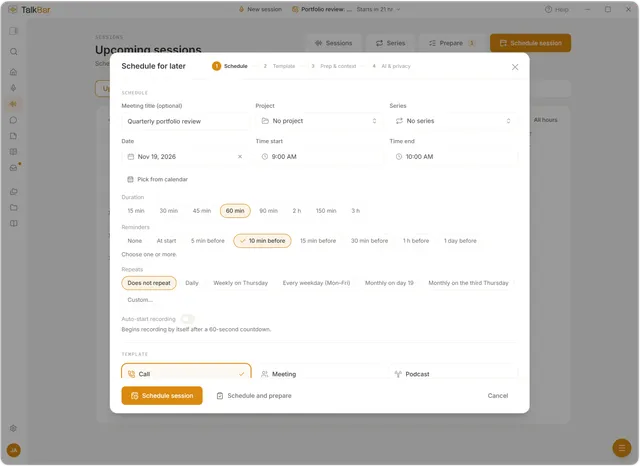
Schedule for later
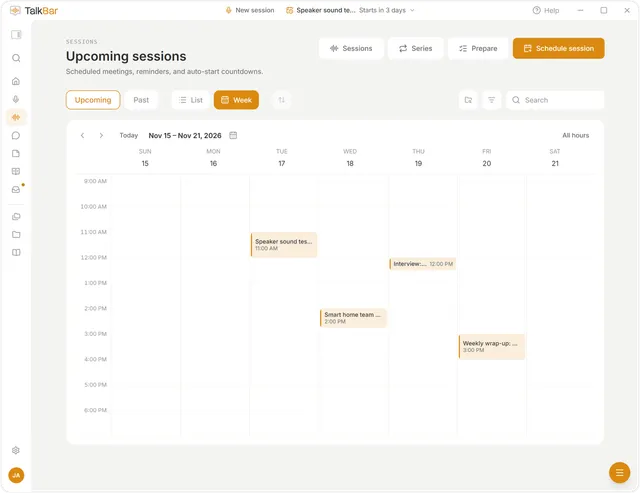
Upcoming sessions
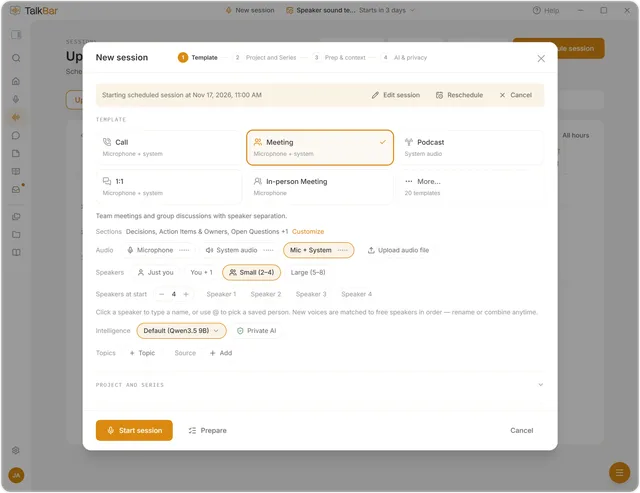
Start a session
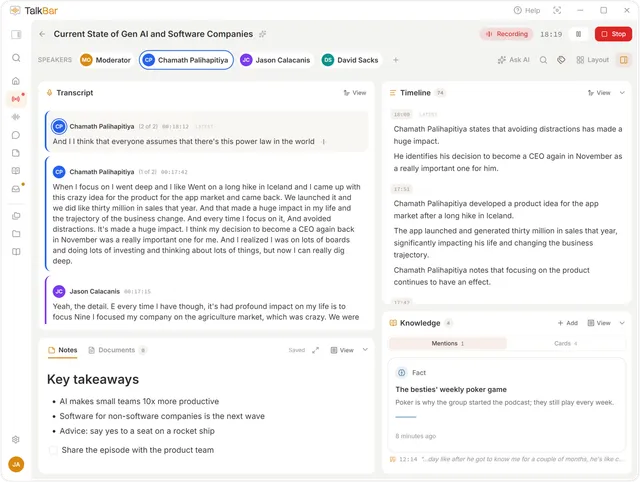
Live call
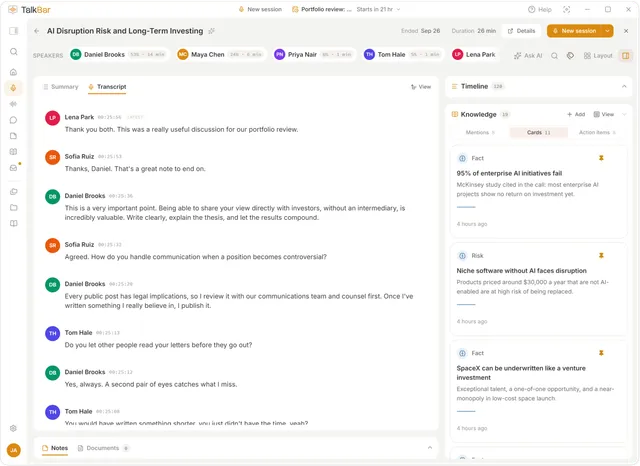
Transcript
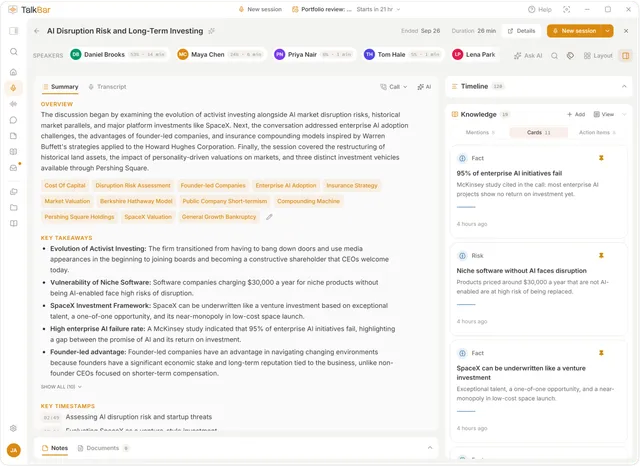
Knowledge Cards in a call
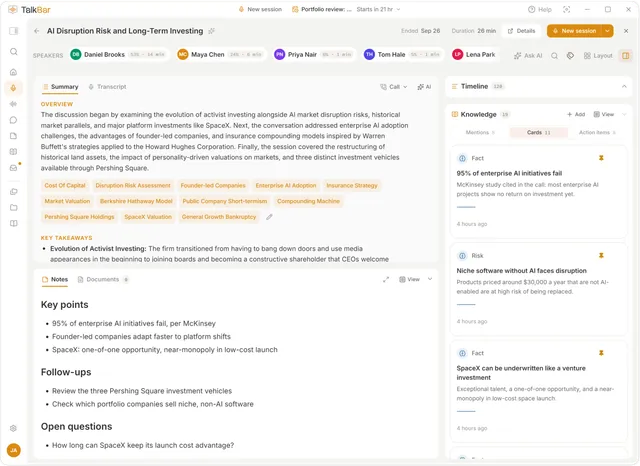
Notes, as you talk
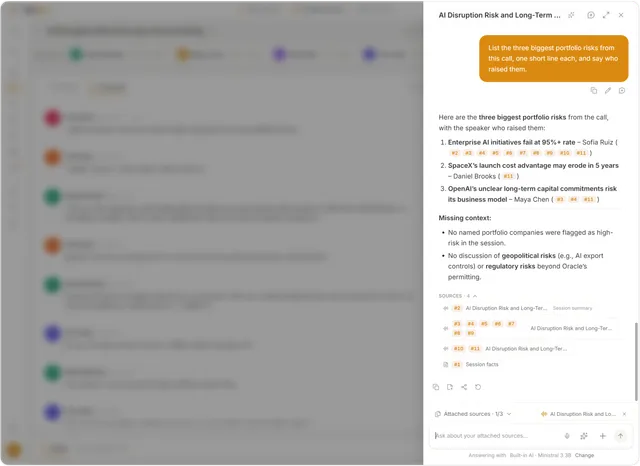
Ask during a call
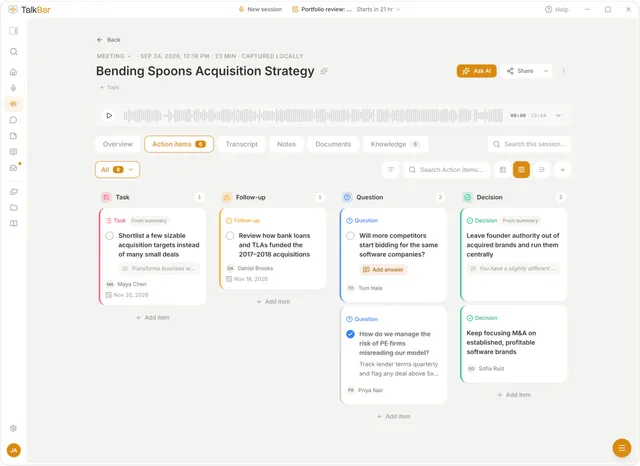
Decisions and follow-ups
Shape every session and note around the way you work.
Session templates guide what TalkBar captures and how the summary reads. Note templates give your writing a structure. Skills add the extra outputs your work needs. Start from a ready-made template, then make it yours.
Session templates
Pick one when you start, like a sales discovery call or a candidate interview. Reorder its summary sections or add your own.
Note templates
Headings and prompts for your own notes, before or after a meeting. More than 40 to start from.
Skills
Reusable prompts, like a client-ready recap or a risk review, that add outputs to any session.
Discovery call
A prospect’s needs and buying process.
6-section note template
Decision record
A decision, its context, and trade-offs.
5-section note template
Retrospective
What worked and what to improve.
4-section note template
Board meeting
Discussions, approvals, and follow-ups.
5-section note template
Difficult conversation
Facts, listening, and agreed changes.
5-section note template
Weekly review
Progress, lessons, and next week’s focus.
4-section note template
Built for the conversations you need to remember.
The same local app, shaped around the conversations, decisions, and documents that fill your day.
One-on-one meetings
Carry goals, blockers, feedback, and commitments across recurring private conversations.
Explore use caseClient calls
Keep client history, decisions, risks, and next steps connected across every call.
Explore use caseInterviews
Keep criteria, themes, and earlier notes in view, then leave with a structured write-up.
Explore use caseVenture & private equity
Prep founder calls, keep diligence notes, and draft memos you review.
Explore industryLegal counsel & M&A
Keep prior terms, document excerpts, and open issues in view.
Explore industryB2B sales & customer success
Prep accounts, track stakeholders, and draft follow-ups.
Explore industryLocal-first. Bot-free. Built for sensitive talk.
Capture without a meeting bot and keep your conversations on your computer. AI can stay there too, or bring your own key when you want a stronger model.
| Capability | TalkBar | Cloud meeting bots | Browser-only tools |
|---|---|---|---|
| All AI on your computerPrivate AI ModeTurn it on and transcription, summaries, and chat run on local models, built in or through Ollama. No external AI providers used even if you’ve connected one. | Yes | No | Varies |
| Bot-free captureRecords your mic and your computer’s audio. No bot joins the meeting. | Yes | No | Varies |
| Your workspace stays on your computerTranscripts, notes, and memory are saved locally. | Yes | No | No |
| Documents stay on your computerImported files are stored and searched locally. | Yes | Varies | Varies |
| Local AI or your own keySummaries, chat, dictation, and scans each run on the model you choose, local or with your key. | Yes | No | No |
| Live translation on your computerFollow the transcript in another language with a local model. English ↔ Russian, English → Spanish, German, French. | Yes | No | No |
| Nothing is remembered without your OKKnowledge scans only suggest. You approve, edit, or dismiss every card. | Yes | Varies | Varies |
| Scan a file without keeping itA temporary upload feeds one scan, then is removed from your library. | Yes | No | No |
| You choose whether audio is keptKeep the recording, or keep only the transcript. | Yes | Varies | Varies |
| Your data as plain filesOpen your data folder, make a ZIP backup, and restore it anywhere. | Yes | No | No |
| Knowledge Cards you attachThey light up when the conversation reaches them. | Yes | No | No |
When you compare tools, look at where the recording, the notes, and the AI actually live.
Set up TalkBar before your next conversation.
Sales, legal, investing, leadership, research, or something general — there’s a template to start from.
Choose a template
Meeting, 1:1, interview, sales call, research, or one you built yourself.
Configure audio
Turn on your mic and your computer’s audio.
Prepare the session
Add documents, notes, Knowledge Cards, and open action items.
Capture the conversation
Record from your desktop and follow the live transcript.
Review and carry forward
Polish the summary, move action items to the next call, and save new Knowledge Cards.
Common questions.
Answers about privacy, local capture, memory, exports, and who TalkBar is built for.
What is TalkBar?
A private AI note taker for Windows and Mac. It records meetings and calls from your desktop, shows your Knowledge Cards while you talk, and turns each call into summaries, action items, and searchable notes.
How is TalkBar different from other AI note takers?
It helps before and during the call, not just after, and it records from your desktop instead of sending a bot. Your workspace stays on your computer.
Does TalkBar join my meetings as a bot?
No. TalkBar records your microphone and your computer’s audio right from the desktop, so no bot joins the call.
Does TalkBar work with Zoom, Teams, and Google Meet?
Yes, and with other meeting apps and browser calls. TalkBar records on your computer, so there’s nothing to add to the meeting.
When should I turn on Private AI Mode?
Any time you want every AI feature to stay on your computer, such as a confidential call. Download a model inside TalkBar or connect Ollama, and no external provider is used, even if you’ve connected one.
Can TalkBar translate while I record?
Yes. Follow the conversation in another language, with the original right beside it if you like. Download the language pair once, and translation runs on your computer, filling in as it goes.
Can I use my own API key?
Yes. Transcription and your workspace stay on your computer; only the text a request needs goes to that provider.
Is TalkBar available for Mac?
Yes. TalkBar runs on Macs with Apple silicon (M1 or later) and macOS 13.4 or later. It also runs on Windows 10 and 11 (64-bit), and natively on Windows 11 on Arm. Intel Macs aren’t supported.
Can I chat with my meetings and documents?
Yes. Pick a session or document, or ask across all your Knowledge Cards, documents, people, and companies. Answers show where they came from.
Does TalkBar track action items between calls?
Yes. Turn the transcript into action items with an owner and a due date, then add them to your next call. They come back up when the topic does.
Can I choose what gets saved or deleted?
Yes. You choose what’s recorded, whether the audio is kept, and what you delete or export. The privacy page lists everything that can use the network.
What can I export?
Markdown, plain text, HTML, JSON, subtitles, or a ZIP. You can also send a note to your Obsidian vault or publish a page to Notion.
Do I need consent to record calls?
It depends on where everyone is and on the type of call. TalkBar removes the meeting bot, not your responsibilities, so follow the rules that apply.
Who is TalkBar built for?
Anyone who records conversations and wants the transcript, notes, and AI to stay on their own computer: product managers, developers, students, founders, researchers, lawyers, sales teams, coaches. Turn on Private AI Mode when a call needs extra privacy.
Ready to bring your private memory into every conversation?
Local transcription · Local AI or your own key · Bot-free capture
Windows · Windows on Arm · Mac with Apple silicon